
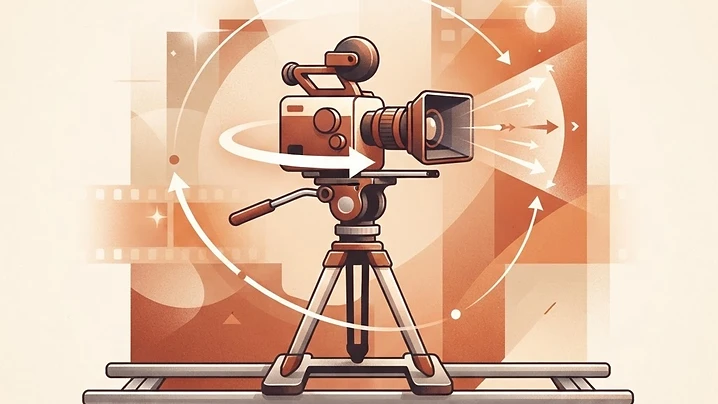
Direct your AI footage like a real cinematographer
Most AI video prompts fail for the same reason: "cinematic camera movement" means nothing specific to a generation model. Real film crews don't say "make it cinematic" — they call a dolly, an orbit, a whip pan. This is a reference library of exact camera-movement prompts, written in that same language, so you can tell your AI video tool precisely what the camera should do instead of hoping it guesses right.
Each entry below names the move, describes what the camera physically does, how fast it should feel, how to keep the framing readable, and how the shot should land. Copy the block, drop it into your video prompt alongside your subject and scene description, and generate. I'll be adding real generated footage next to each of these over time so you can see the move before you commit credits to it.
How to use these
Pair one movement prompt with a clear subject and setting — the movement block handles how the camera behaves, your own subject description handles what's in frame. Don't stack more than one major movement into a single short clip; a clean single move reads far better than a rushed combination.
Pan & tilt — rotating from a fixed point
Static shot
Locked-off static shot. Movement: hold one fixed camera position for the full clip. Speed: still and steady. Framing: keep the same angle, height, lens distance and composition throughout. End: finish exactly as it started.
Pan right
Pan right. Movement: rotate the camera horizontally from left to right around a fixed point. Speed: smooth, constant rotation. Framing: keep the horizon level as new space enters from the right. End: settle on a clear final composition.
Pan left
Pan left. Movement: rotate the camera horizontally from right to left around a fixed point. Speed: smooth, constant rotation. Framing: keep the horizon level as new space enters from the left. End: settle on a clear final composition.
Whip pan (right or left)
Whip pan [right/left]. Movement: rotate rapidly toward a new target in the named direction. Speed: fast snap with brief motion blur. Framing: begin on one readable composition, land on a second readable one. End: settle into a sharp final frame.
Tilt up
Tilt up. Movement: rotate the camera upward from a fixed point. Speed: smooth, constant tilt. Framing: keep the vertical subject centered as the frame travels upward. End: land on the upper target.
Tilt down
Tilt down. Movement: rotate the camera downward from a fixed point. Speed: smooth, constant tilt. Framing: keep the vertical subject centered as the frame travels downward. End: land on the lower target.
Zoom & lens — changing focal length, not position
Slow zoom in / out
Slow zoom [in/out]. Movement: gradually [increase/decrease] lens focal length toward a [tighter/wider] frame. Speed: gradual and even. Framing: keep the main subject readable throughout the scale change. End: finish on a stable [tighter/wider] composition.
Fast zoom in / out
Fast zoom [in/out]. Movement: quickly [increase/decrease] lens focal length toward the subject. Speed: quick, decisive. Framing: keep the subject centered through the scale change. End: finish on a stable [tighter/wider] composition.
Crash zoom in / out
Crash zoom [in/out]. Movement: snap the lens rapidly [toward/away from] the subject. Speed: very fast and punchy. Framing: keep the subject readable through the sudden change. End: land on a bold [tighter/wider] composition.
Dolly & track — physically moving the camera in a line
Dolly in
Dolly in. Movement: move the camera physically forward in a straight line toward the subject. Speed: smooth, controlled push. Framing: keep height and lens direction consistent as distance closes. End: finish in a tighter composition.
Dolly out
Dolly out. Movement: move the camera physically backward in a straight line away from the subject. Speed: smooth, controlled retreat. Framing: keep lens direction and height consistent as more environment enters frame. End: finish in a wider composition.
Physical moves — trucking, pedestal, sliders, arcs & orbits
Truck right / left
Truck [right/left]. Movement: move the camera physically [right/left] along a straight horizontal path. Speed: smooth, constant lateral travel. Framing: keep the lens facing the same direction as the scene slides across frame. End: finish on a clean lateral composition.
Pedestal up / down
Pedestal [up/down]. Movement: move the entire camera vertically [upward/downward] in a straight line. Speed: smooth, constant [lift/descent]. Framing: keep the lens level and pointed the same direction. End: finish with the new framing clearly readable.
Slider right / left
Slider [right/left]. Movement: slide the camera a small distance [right/left]. Speed: slow, controlled, constant motion. Framing: keep foreground, subject, and background layers readable as parallax shifts. End: finish on a refined composition from the new angle.
Push past (pass-by shot)
Push past. Movement: move forward past a visible foreground object, edge, or opening. Speed: smooth forward glide. Framing: let the foreground pass close to the lens as the space beyond becomes clearer. End: arrive inside or beyond the foreground layer.
Arc right / left
Arc [right/left]. Movement: move on a shallow curved path around the subject toward the [right/left] side. Speed: smooth, measured curve. Framing: keep distance and height consistent as the angle changes. End: finish from the new side angle.
Orbit clockwise / counterclockwise
Orbit [clockwise/counterclockwise]. Movement: circle [clockwise/counterclockwise] around the subject at a consistent radius. Speed: smooth, controlled orbit. Framing: keep the subject centered as the background rotates around it. End: complete the intended arc with stable framing.
Drone, crane & human-operated moves
For rising reveals, aerial flyovers, and handheld or gimbal-style shots, describe the same four ingredients every time: movement (what the camera physically does), speed (how fast it feels), framing (what stays readable throughout), and end (the final composition). A crane rise, for example, follows the same structure as pedestal up but from a much greater height with a wider view opening up below. A handheld walk-and-follow uses gentle natural sway instead of a locked, mechanical path. Build these the same way you would any entry above — name the move, describe the four ingredients, and keep it to one clean motion per clip.
Quick troubleshooting
- Motion feels chaotic or unreadable: you're likely stacking two movements in one clip — isolate to a single move.
- The subject warps mid-move: add "preserve subject geometry and identity throughout" to your prompt.
- The ending feels unresolved: always specify the end condition explicitly, as shown in every block above — models tend to keep drifting without it.
- Speed feels inconsistent: name it plainly ("smooth and constant," "fast and punchy") rather than relative terms like "faster."
Bookmark this page — I'll be swapping in real generated clips next to each movement as I finish them, so you can preview the exact result before spending credits on your own version.