
One Photo → A Cinematic Product Ad
The script, prompt template, and 20 creative video ideas to help you start creating with Runway.
By Zues Ordaz
One product photo in — a cinematic, tech-styled ad out. Here's the exact prompt I started with, the template to adapt it, the creative script, and 20 more directions to try.
This is a starting point for experimentation. Results vary by model, settings, reference image, and prompt.

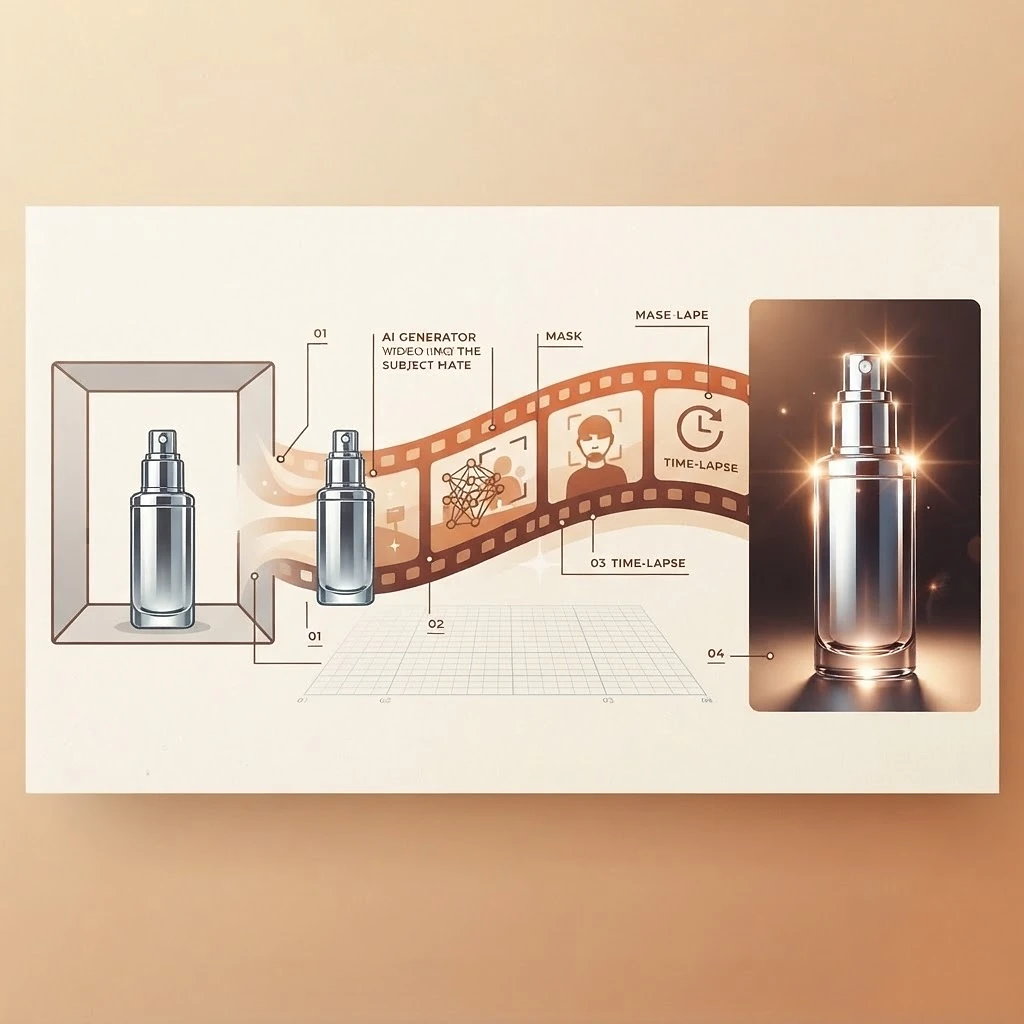
One product photo. A completely different way to present it.
For this project, I started with a product image and gave Runway a creative direction: rugged, outdoors-inspired styling with clean tech graphics. The resulting ad combined macro product details, technical callouts, an assembly-style reveal, and a polished closing shot.
Full transparency: the finished video didn't really lean outdoors-inspired or rugged — what it did deliver was everything else, like the clean tech graphics. That's part of working this way: you steer, review, and refine toward the exact look you want.
This guide includes the short prompt I started with, an expanded template you can adapt, a simple creative script, and 20 more directions to explore.
This is a starting point for experimentation. Results vary by model, settings, reference image, and prompt.
What to upload
- One sharp product photo with the full product visible.
- A clearly readable logo and label.
- Even lighting and minimal obstructions.
- The highest-quality original image available.
If exact packaging or small text matters, check it carefully in the generated result. Use real product assets in the final edit when needed.
The original prompt
The short prompt I started with
The short prompt I started with
Generate a monoscope callout tech product assembly style video ad that captures the viewers attention, this is targeting men so it should feel manly, outdoorsy, tech (apple tech clean UI), high quality production value.
The expanded template below translates that shorthand into clearer directions. ‘Monospaced typography’ describes the technical-looking text style. The template is an adaptation, not the exact original prompt.
The reusable prompt template
Adaptable template
The reusable prompt template
01 / DIRECTION
Turn this single product image into a premium 15-second ad for [PRODUCT], targeting [AUDIENCE]. Blend rugged outdoor-inspired colors with clean, minimalist tech graphics.

02 / PRODUCT
Preserve the reference product's shape, proportions, materials, logo, and packaging.

03 / SEQUENCE
Open on an attention-grabbing macro detail. Reveal the full product, transition into an exploded assembly view, then reassemble it for a strong final hero shot. Separate only components supported by the reference; do not invent internal mechanisms or ingredients.

04 / VISUAL STYLE
Use monospaced typography, numbered callouts, fine technical lines, blueprint grids, and subtle scanning graphics. Palette: [PRIMARY COLOR], [ACCENT COLOR], and [BACKGROUND COLOR].

05 / MOTION & SOUND
Combine smooth camera moves, precise assembly animation, and crisp cuts with synchronized mechanical clicks, subtle impacts, and a cinematic beat.

06 / FINISH
Photorealistic materials, controlled reflections, sharp product detail, and professional lighting. Keep branding consistent. Use only supplied facts for feature callouts. Deliver one complete video.
Customize it
These fields are optional — fill in what you know and the copyable template below updates instantly.
01 / DIRECTION
Turn this single product image into a premium 15-second ad for [PRODUCT], targeting [AUDIENCE]. Blend rugged outdoor-inspired colors with clean, minimalist tech graphics.

02 / PRODUCT
Preserve the reference product's shape, proportions, materials, logo, and packaging.

03 / SEQUENCE
Open on an attention-grabbing macro detail. Reveal the full product, transition into an exploded assembly view, then reassemble it for a strong final hero shot. Separate only components supported by the reference; do not invent internal mechanisms or ingredients.

04 / VISUAL STYLE
Use monospaced typography, numbered callouts, fine technical lines, blueprint grids, and subtle scanning graphics. Palette: [PRIMARY COLOR], [ACCENT COLOR], and [BACKGROUND COLOR].

05 / MOTION & SOUND
Combine smooth camera moves, precise assembly animation, and crisp cuts with synchronized mechanical clicks, subtle impacts, and a cinematic beat.

06 / FINISH
Photorealistic materials, controlled reflections, sharp product detail, and professional lighting. Keep branding consistent. Use only supplied facts for feature callouts. Deliver one complete video.
A simple 15-second creative script
An adaptable storyboard — not a transcript of the generated ad.
- 0–3 secondsHOOK
Start close on a distinctive product detail. Use light or movement to create immediate curiosity.
- 3–6 secondsREVEAL
Show the complete product with restrained technical graphics.
- 6–10 secondsEXPLORE
Highlight visible details or show a stylized separation of actual removable components. Include only accurate feature labels.
- 10–13 secondsRESOLVE
Return to the complete product. Simplify the graphics and focus attention on the design.
- 13–15 secondsHOLD
Finish on a clean product hero shot and resolved sound cue. Give viewers a moment to register the brand.
Quick workflow
- Upload your product image.
- Replace the placeholders in the template.
- Choose the available model, duration, aspect ratio, and quality settings appropriate to your project.
- Generate and review the result.
- Check packaging, movement, text, and sound.
- Refine the weakest element with a specific instruction.
- Export and add any final copy or call to action in your edit.
Optional planning instruction
Before generating, propose the shot sequence, reference usage, settings, and any difficult elements. Return the plan only and wait for my approval before generating media.
Twenty more video ideas
Upload a relevant reference image and replace the bracketed details. For every idea, preserve the supplied product or person, use only verified claims, and inspect the result before publishing.
Outdoor Gear Reveal
Ground your product in natural texture and atmosphere for a rugged hero reveal.
Create a cinematic reveal of [PRODUCT] on weathered stone with forest-inspired lighting, restrained mist in the background, tactile close-ups, and a final product hero. Preserve the exact product design.
Luxury Fragrance Film
An elegant, light-driven film built around glass reflections and slow camera slides.
Turn this [FRAGRANCE] photo into an elegant product film using controlled glass reflections, moving light, slow camera slides, and a refined final hold. Keep the bottle and label consistent.
Sneaker Design Study
A detail-first tour from sole texture to the complete silhouette.
Create a design-focused ad for [SNEAKER], moving from sole texture to stitching and the complete silhouette. Use clean cuts, directional light, and subtle technical callouts based only on supplied facts.
Coffee Morning Ritual
A warm lifestyle spot built from packaging close-ups and morning-window light.
Create a warm morning film around [COFFEE PRODUCT], combining packaging close-ups, a prepared cup, gentle steam, and natural window light. Keep the packaging accurate.
Skincare Texture Campaign
Soft minimal beauty framing with macro packaging details.
Create a minimal beauty ad for [PRODUCT] with soft shadows and macro packaging details. Show the formula texture only if supported by an additional reference. End with a clean product composition.
Watch Detail Film
Precise, slow camera work that studies dial, case, and strap.
Create a premium film of [WATCH], emphasizing its referenced dial, case, strap, and reflections. Use precise camera movement and a calm final hero. Preserve the actual markings and geometry.
Headphone Tech Launch
Clean technology launch styling with material studies and minimal graphics.
Create a clean technology launch film for [HEADPHONES] using close material studies, a controlled product rotation, and minimal graphic accents. Use only provided specifications in callouts.
Jewelry Light Study
Subtle motion and carefully controlled light on a restrained background.
Animate [JEWELRY] through subtle camera movement and carefully controlled light. Emphasize its actual setting, shape, and finish against a restrained background.
Desk Setup Transformation
One desk photo becomes a before-and-after lighting transformation.
Using this desk photo, create a before-to-after lighting transformation from daytime workspace to cinematic evening studio. Preserve the furniture, equipment, and room layout.
Restaurant Dish Reveal
A short appetizing ad with a slow push-in and realistic steam.
Turn this dish photo into a short restaurant ad with a slow push-in, appetizing directional light, and subtle realistic steam where appropriate. Preserve the actual ingredients and plating.
Apparel Editorial
A fabric-first fashion film ending in a full design reveal.
Create a fashion film around [GARMENT] using fabric close-ups, natural drape, and a full design reveal. Preserve the cut, pattern, logo, and material shown in the reference.
Book Launch Teaser
A shadow-driven teaser that ends on the cover reveal.
Create a cinematic teaser for [BOOK] using cover details, moving shadows, and a final cover reveal. Preserve the cover artwork and title. Do not invent readable interior pages.
Packaging Unboxing
A tactile unboxing built only from your real packaging.
Create a tactile unboxing sequence for [PRODUCT] using the supplied packaging references. Show believable hand contact and only the actual contents and opening mechanism.
Three Lighting Moods
The same product in three distinct lighting treatments.
Present [PRODUCT] in three distinct lighting treatments: soft daylight, dramatic studio light, and colorful editorial light. Preserve its geometry, branding, and base color across the cuts.
Seasonal Campaign
Seasonal styling through background, light, and color — product untouched.
Create a [SEASON]-inspired campaign for [PRODUCT] through background styling, light, and color. Keep the product itself unchanged and finish on a clear hero shot.
Floating Product Study
A stylized levitating reveal with coherent shadows.
Create a stylized levitating reveal of [PRODUCT] with slow controlled rotation, coherent shadows, and a minimal background. Keep the product's shape and branding stable.
Stop-Motion-Inspired Ad
Deliberate, playful position-by-position movement with a clear final hold.
Create a playful stop-motion-style ad in which [PRODUCT] moves through a sequence of deliberate positions against [BACKGROUND]. Maintain consistent scale and finish on a clear product hold.
Creator in Three Settings
The same recognizable person across studio, outdoor, and workspace settings.
Using my character references, show the same recognizable person in a studio, an outdoor setting, and a workspace. Preserve facial identity and build, with simple actions and clean cuts.
Flat Lay to Hero
A top-down arrangement that builds to an upright product portrait.
Begin with a top-down arrangement featuring [PRODUCT] and a few relevant props. Cut to macro details, then finish on an upright product portrait. Keep the product as the visual focus.
Looping Product Reveal
A seamless loop with matching open and close composition.
Create a short loop featuring [PRODUCT] with a restrained camera orbit and a moving highlight. Aim for matching opening and closing composition, lighting, and product position.
Quick fixes
Product shape changes
Use a simpler movement and repeat the key design constraints.
Face changes
Use a clear identity reference, simpler expressions, and fewer simultaneous actions.
Label text becomes distorted
Use a real product image or overlay in the final edit.
The result feels generic
Specify materials, lighting, shot sizes, and a clear opening and ending.
Too much happens at once
Reduce the action count and give each shot one main purpose.
Sound feels disconnected
Request a cohesive soundtrack with specific synchronized sound cues.
Follow along
Back to all free resources